AI for Digital Products
What is an AI Platform and why your company needs one

If the last decade taught designers to tame complexity, 2026 asks them to choreograph uncertainty. Generative systems can be brilliant (it can produce iterations with lightning speed) and brittle (it can also break due to low context) in the same minute; the job now is to turn that volatility into experiences people trust, adopt, and return to.
Two realities define the moment:
In McKinsey’s 2025 global survey, 71% report regular generative AI use. But more than 80% say they haven’t yet achieved enterprise-wide EBIT lift. The message is clear: craft and operating discipline, not features alone, turn pilots into performance.
So what matters most?
Here are seven essential AI skills, taken from our learnings on the journey to navigate AI with our clients at DPM, that we believe every modern designer needs to build trusted, repeatable, value-generating experiences in 2026 and beyond:
What it means for designers: This is the ability to look at a user journey and decide which parts need automation (efficiency) and which need augmentation (new capabilities). It involves moving beyond "chatbot for everything" to selecting the right interaction pattern based on the user's mental model.
Concrete Example: Imagine you are designing a healthcare platform.
• The Bad Pattern: You force the user to chat with a bot to find a slot.
• The "Task-Model Fit" Approach: You analyze the task. For scheduling an appointment, the user needs structure, not conversation. You design an AI agent that works in the background to query available times and confirm the booking without manual intervention. However, for the diagnosis phase, you use a pattern of augmentation, where the AI highlights potential anomalies in data for the doctor to review, keeping the human in the loop.
What it means for designers: Designers must shift from designing static screens to "defining the rules that generate them". A prompt is essentially a functional spec or a component definition; it requires version control and precise constraints to ensure the AI behaves predictably within the interface.
Concrete Example: You are designing a travel app's "trip planner" feature.
• The Old Way: You mock up a "perfect state" itinerary screen in Figma.
• The “Prompt Craft” Approach: You write a "micro-brief" for the model that acts as the spec. You define the constraints: "Role: Travel Agent. Output Format: JSON list. Constraints: Must include transit times; do not suggest closed venues." You treat this text prompt like a component in your design system that dictates how the agent behaves when it acts on the user's behalf.
What it means for designers: Static wireframes cannot capture the "latency, variance, and failure" of AI. Designers need to use AI tools to code their own prototypes to test whether users actually want to "tinker" with the output or just want it done.
Concrete Example: You are building a photo editing tool.
• The Old Way: You create a click-through prototype where the "Magic Fix" button instantly shows a perfect image.
• The “Model-Aware Prototyping” Approach: You build a rough prototype using a real model. You discover that the generation takes 6 seconds (latency). You realize you need to design a "low-risk experimentation" UI—like a filter interface that is easy to undo—because the model output is unpredictable. You design loading states that manage this specific latency rather than a generic spinner.

What it means for designers: This involves designing for "graceful failure." When the AI hits a dead end, the UI shouldn't break; it should offer a manual fallback. Designers must avoid over-promising "AI Magic" in the onboarding, which sets users up for disappointment.
Concrete Example: You are designing a photo-tagging feature.
• The Failure: The AI fails to recognize a friend because they are turned away from the camera.
• The Save with “Confidence Calibration”: Instead of showing a generic error, the UI highlights the person and asks, "Is this John?" or provides a manual tagging tool. You use copy that communicates limits, such as "Here is who we found," rather than "We identified everyone," ensuring the user’s mental model matches the system’s actual capabilities.
What it means for designers: Designers must create mechanisms for "co-learning," where user interactions teach the system. This requires designing clear implicit feedback (actions taken) and explicit feedback (ratings/settings) loops.
Concrete Example: You are designing a music streaming app.
• The Old Way: You measure success by "time spent listening."
• The “Close-the-Loop” Approach: You design specific UI controls for feedback.
◦ Explicit: A "Manage Interests" interface where users select genres.
◦ Implicit: If a user skips a song within 10 seconds, the UI treats this as a negative signal to update the model. You design the interface to clearly show why a recommendation changed based on that input.
What it means for designers: This is about "Trust Design." It involves preventing users from confusing AI with humans (anthropomorphism) and ensuring the user understands why the AI did what it did (explainability).
Concrete Example: You are designing a customer support chat.
• The Risk: You use a first-person "I" voice ("I can help you with that"), which makes the user assume the bot has human-level understanding, leading to frustration when it fails.
• The “Disclosure UX” Approach: You use visual labels and specific copy to identify it as an automated system. You explain the benefit ("I can scan our database for answers") rather than the tech ("I am an LLM"). You ensure the user knows exactly when they are switching from an AI agent to a human agent.
What it means for designers: Designers need to define strategic metrics that go beyond "engagement." High-performing teams validate model outputs with human oversight processes. This means designing workflows where humans review AI work, and measuring the "edit rate" or "correction rate."
Concrete Example: You are designing an internal tool for marketing copy generation.
• The Old Metric: "Number of words generated."
• The Better Way: You define success by "Edit Distance" i.e., how much did the human have to rewrite the AI's draft? If the edit rate is high, the UX (or the prompt) is failing. You redesign the workflow to include a specific "Human Validation" step before publishing.
As we look toward 2026, the industry is shifting from the novelty of "using AI" to the discipline of scaling it. The seven skills outlined above, from pattern literacy to metric literacy, are the bridge between experimental play and professional performance.
However, adopting these skills requires more than just learning new software; it demands a fundamental re-evaluation of your design philosophy. As you prepare your team for the next wave of innovation, consider these questions:
• Are you automating the right tasks? Are you using AI merely to churn out assets faster, or are you strategically outsourcing tactical work to reclaim time for the complex, human-centric problems that machines cannot solve?
• Does your design survive failure? When the model inevitably hits a dead end, does your interface offer a "graceful failure" that deepens user trust, or have you promised "magic" that leaves users stranded when the illusion breaks?
• Are you ready for the "Agent" era? With nearly a quarter of companies already scaling AI agents, are you prepared to design systems that cater not just to human eyes, but to the structured data needs of AI intermediaries acting on your users' behalf?
• Who is checking the work? Have you established clear "human-in-the-loop" validation processes to scrutinize bias and accuracy, or are you outsourcing your critical thinking to the algorithm?
In an era of infinite iterations enabled by AI, the human designer still remains the final word on quality and intent. The difference between a product that frustrates and one that empowers will lie in whether you choose to simply deploy these models or actively navigate the uncertainty they bring with context and intent.
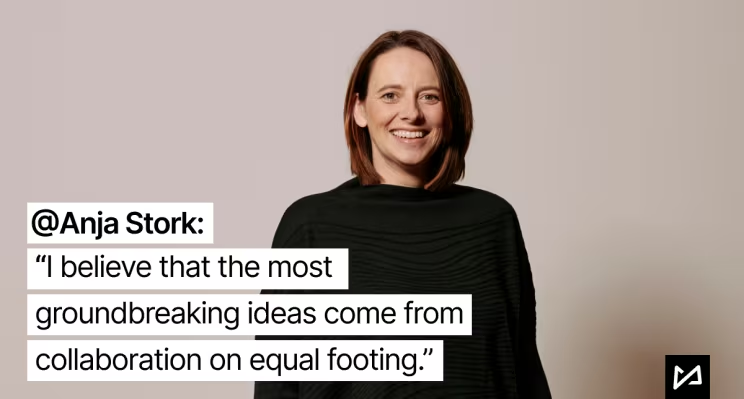
Anja Stork is the Head of UXD & AI Strategist at DieProduktMacher , where she sits at the forefront of the intersection between human creativity and machine intelligence. As a Service Design Leader, Anja focuses on how AI is fundamentally reshaping organizations and the future of work. She leads strategic AI initiatives that prioritize human-AI collaboration, designing service experiences that spark innovation and drive meaningful CX transformation. With deep expertise across entertainment, healthcare, and enterprise software, Anja and her team are committed to developing conscious digital products that integrate AI to create positive, large-scale impact.
Ready to bridge the gap? Get in touch to understand how you can leverage AI for 2026 through a tailored AI Readiness Assessment: Anja.Stork@produktmacher.com